There are two ways you can print a Meeting.
The first way is directly from the Meeting Grid. Select the Printer Icon  located to right of the Meeting you want to print.
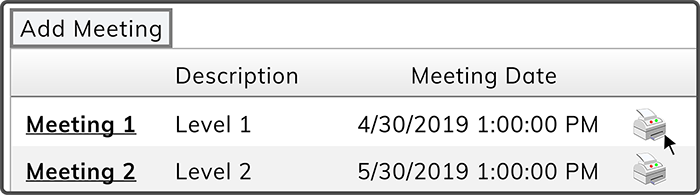
The second way you can print a Meeting is from the Meeting Details page within a Meeting. Select the Print Button  in the top right corner.

 Related Topics