All of the required documents for the PSI program are listed in the PSI Library (including links to SDS, P&ID, and TOS files). Each Item will have a green check  or a red
  . This allows managers and operators to quickly see which PSI Items have been uploaded and which ones are missing.
Note: A green check to the left of the PSI title means that a document has been added/uploaded. A red check means that there is no document associated with that title.
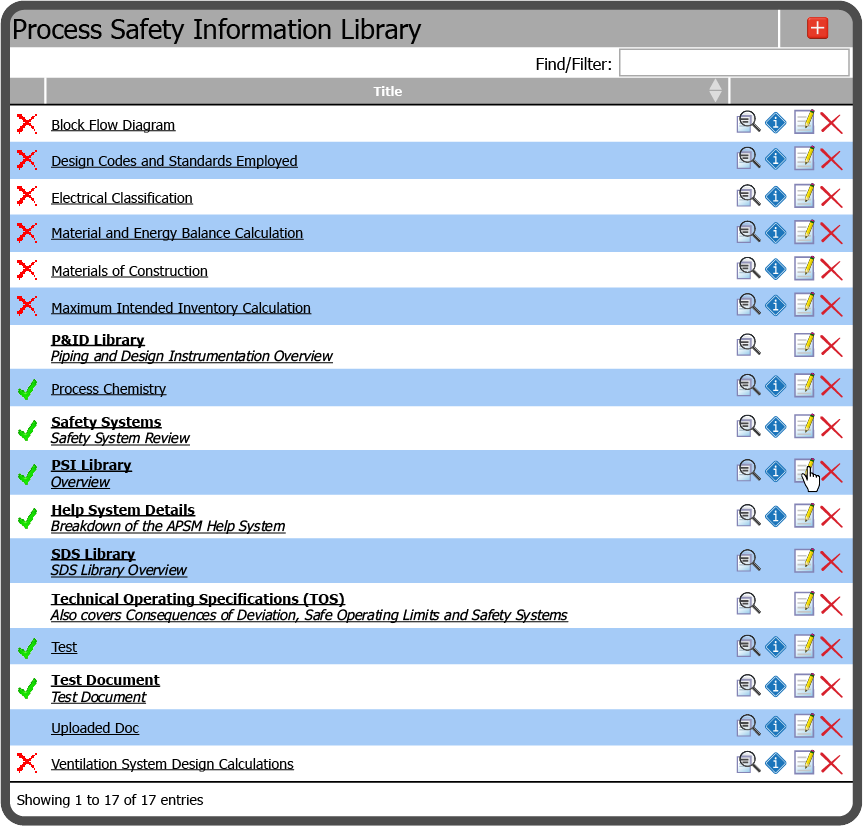
To upload a document in this section, select the Edit Icon  to the right of any PSI Item. If you are unsure how to add a new PSI Item, refer to Add PSI Items.
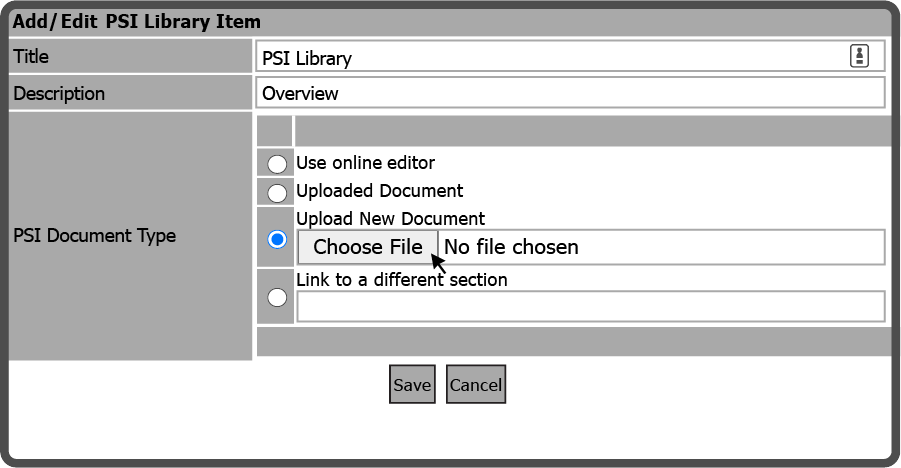
Enter a Title, Description, select Upload New Document  , and select the Choose File Button
  .
.
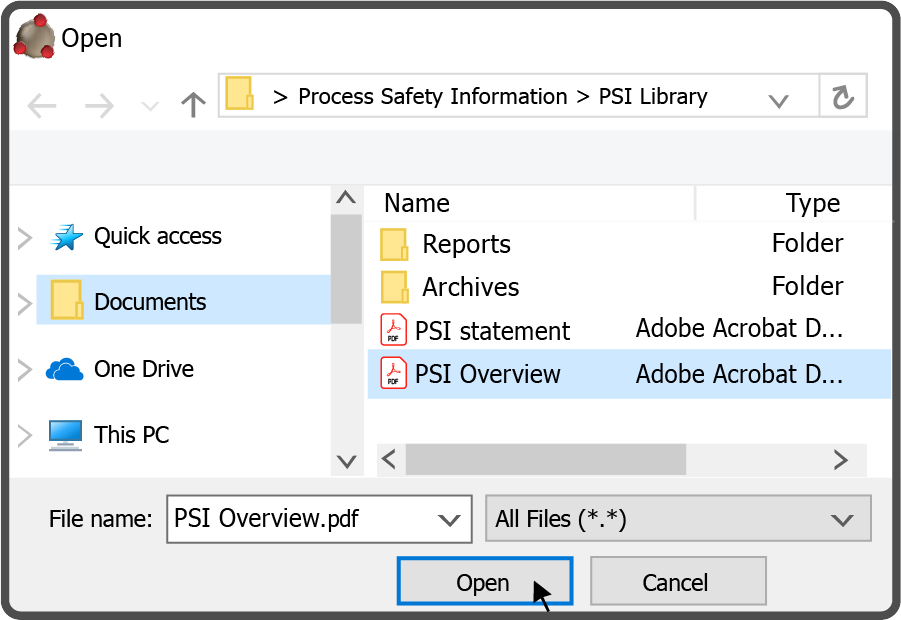
Browse to the file on your device, select it and select the Open Button  .
.
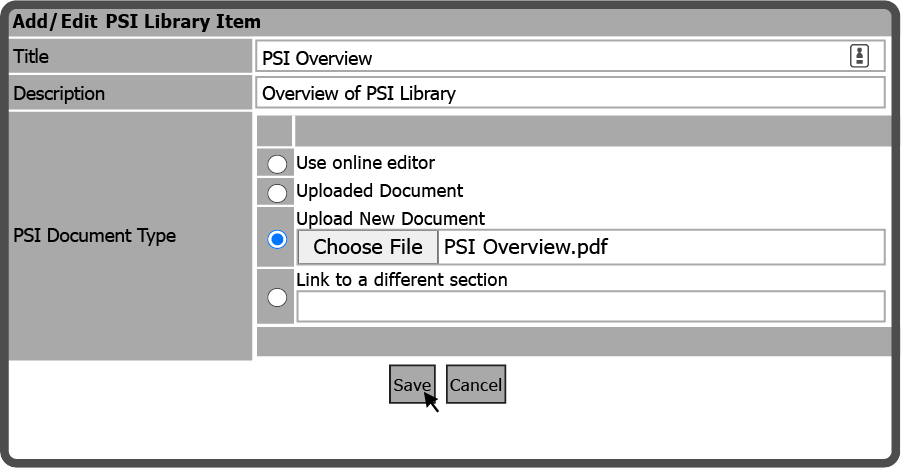
After selecting the file on your device, select the Save Button  .
.
 Related Topics