To add an Attachment to a  in the Attachments Section of the Add/Edit HAZOP Guideword window.
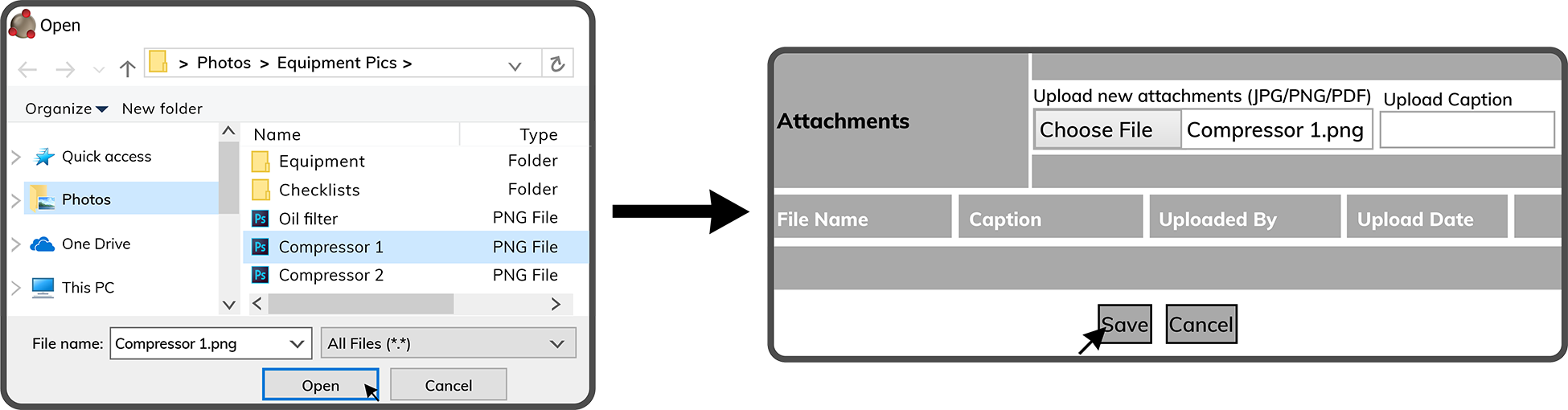
Browse to the Attachment on your device. Select the Attachment and select theOpen Button  . Then select the Save Button
  to finalize adding the Attachment.
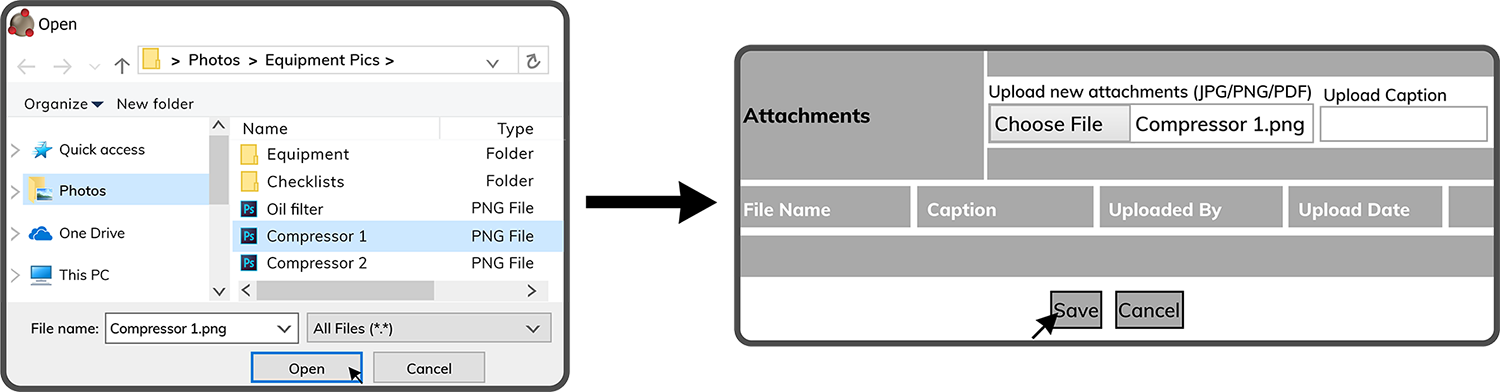
Note: The attachment must be a JPG, PNG or PDF. Multiple attachments can be added to a single Guideword.
 Related Topics