Release Notes
 Release Notes 2023.3.30.1
SCT-334: Form Template Builder Updates
Release Notes 2023.3.30.1
SCT-334: Form Template Builder Updates
We've made some updates to the Form Template Builder, including the following:
- Added a Plant Field Value (new field type) that will pull the Site Name, Center Name (Plant Name), Address, City, State, Zip, and Phone #.
- Removed equipment-related field types
- Added ability to turn attachments on/off at the row level
- Added ability to publish templates (versioning)
- Added ability to make templates plant-specific or companywide
- Added ability to assign templates for use in MOCs as a PSSR option
- Added ability to Bulk Copy templates to other plants
Note: The Template Display List is tied to your current plant/company
SCT-337: Portal Incident Investigation Form Display Issue
Fixed some display issues
SCT-338: Safety and SOP Tests Test Administrator Issue
Fixed an issue selecting a Test Administrator
SCT-339: Online Form Behavior Updates
- Added ability to Save (open/editable) or Save & Complete (locked) Forms
- Added ability to upload attachments to rows (if turned on in the template)
- Added ability to unlock forms — this will create a new, editable version as well as a PDF of the old version that you can view in the document's View History section
SCT-340: MOC PSSR Option for Custom Form Template
When performing an MOC, you will now have the option to select Complete from Custom Template for the PSSR. Selecting this option will let you complete the PSSR using any current plant or company Custom Form Template that has Use in MOC checked.
SCT-341: Online Form Tasks Updates
Now ties new Online Form Tasks and Recurring Tasks to a plant
SCT-343: Assign SOP Training to Users for Multiple Plants
Added PSSR and PHA Approvals to MOC printouts
SCT-347: Test Review Page Display Changes
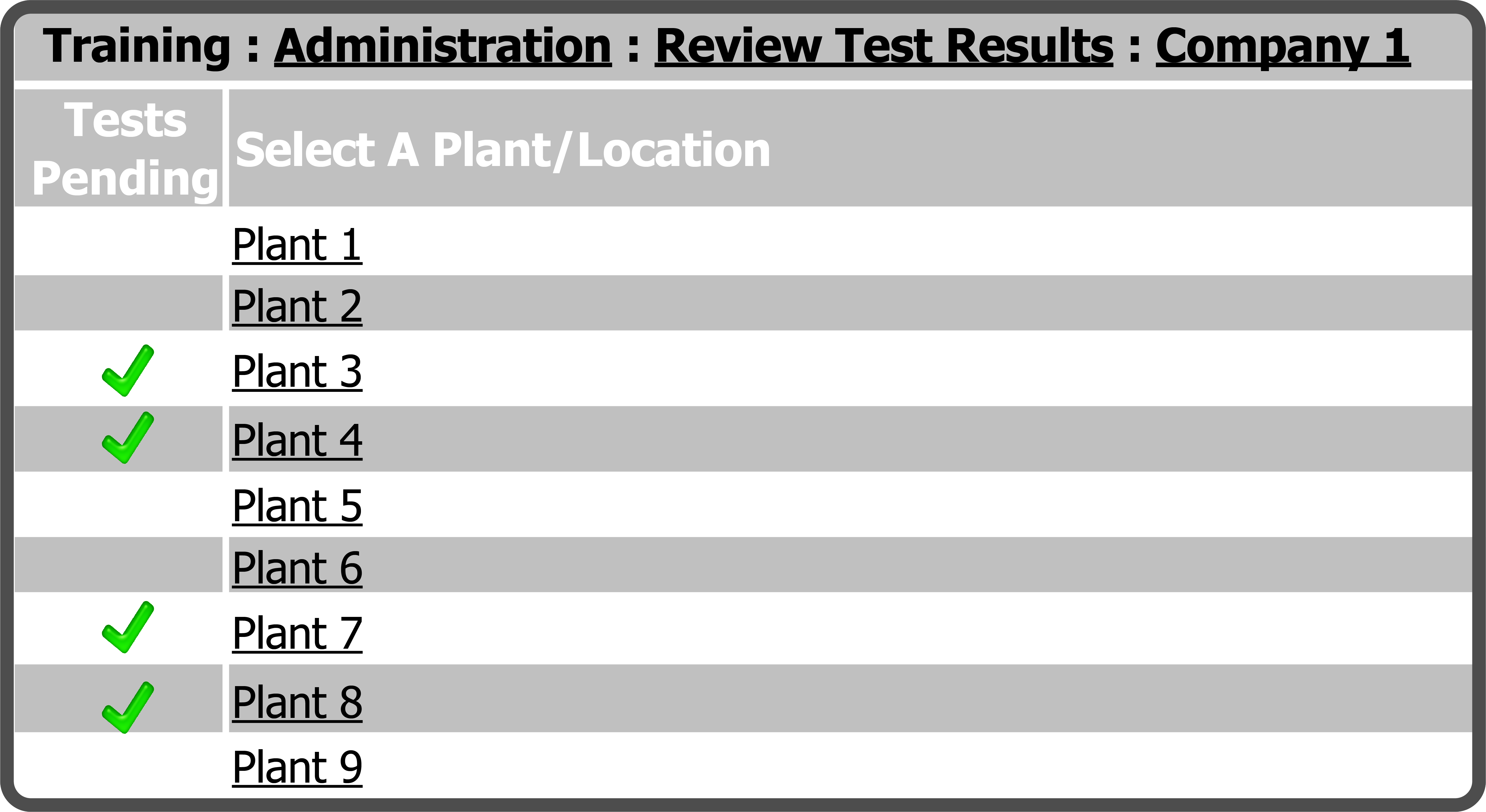
Within a Company's Training  Administration Tests Review page, we added a Tests Pending column to the left of the Select A Plant/Location column. For any Plant with users that have tests Pending Review, there will be a Green Check
  in the Tests Pending column.